
Model HQ
DocumentationModel HQ v1 Documentation
LATESTNext-generation AI platform with enhanced features, improved performance, and expanded capabilities
Model HQ v1 represents a significant evolution of the platform, introducing powerful new features while maintaining the core principle of secure, local AI deployment. V1 brings enhanced service composability, expanded integration capabilities, and improved workflows for building sophisticated AI applications.
The v1 architecture enables you to create modular, reusable components through the Services interface, connect to external systems via Integrations, and build complex multi-layered agent systems with well-defined input-output contracts.

LLMWare Model HQ Splash Video
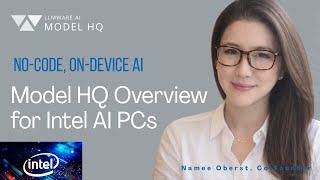
Model HQ Overview Demo for Intel Devices: 250+ Models + No-Code Agents (Chat, RAG, Vision)

Private On-Device AI on Snapdragon X Elite: Download + Test NPU Models in Model HQ

Sharing Agents with No Hardware Lock-In on Model HQ (Intel ↔ Qualcomm, Zero Changes)

Unlock Hybrid AI: AI PC + API Server

Will It Run? Testing AI PC App on a 5-Year old Laptop

Model HQ - Founder's Talk
Documentation Sections
- Chat Overview
- Chat Configuration
- Document Parsing Issues
- Error Handling
- Agents Overview
- Create New Agent
- Edit Agent
- Agent Visual Builder
- Batch Processing
- Agent Services
- Bots Overview
- Building a Bot
- Editing a Bot
- Models Overview
- Model Configuration
- Create Custom Test
- Microsoft Foundry
- Source Overview
- Parsing in Source
- Error Handling
- Creating a Dataset
- Field Mapping
- RAG Columns
- ID Column
- KPI Definition
- Analyze
- Services Interface
- Agent Services
- REST API Services
- MCP Services
- Integrations Interface
- Cloud Services
- AI Providers
- Productivity Tools
- Configure
- Tools
- Safe Shutdown
- Data Preservation
- Best Practices
Essential resources to begin your Model HQ v1 journey:
- Services Architecture: Create reusable components for agent workflows
- Integrations: Connect 19+ external services and platforms
- Enhanced Source/RAG: Improved document processing and parsing
- MCP Support: Model Context Protocol integration (Beta)
Step-by-step recipes and real-world v1 examples will be added to the Cookbooks section as they become available.
Browse v1 Cookbooks