
Model HQ
DocumentationBatch processing or multi-doc agent
This section explores the Batch Run capabilities of Model HQ, which enable automated execution of agent processes across multiple documents simultaneously.
Batch Run lets you run an agent on many documents at the same time—so you don’t have to upload and process each file one by one. It’s ideal for tasks where you need the same analysis across a large set of documents, like contract reviews, invoice processing, research summaries, or compliance checks. Every document is handled using the same logic and output format, saving time and reducing manual work.
Batch run is suitable only for agent processes that require the same agent workflow for batches of similar input - i.e., similar contracts or a batch of images.
In this example, we’ll use the Contract Analyzer from the Agents documentation to show how Batch Run works. The interface makes it easy to upload multiple files, start processing, track progress, and download results in formats like Word or JSON. This turns a single-document agent into a scalable workflow that can handle large volumes of documents efficiently.

Contract Analyzer Agent in Minutes (No-Code + Offline) | Model HQ Demo

Analyze Executive Agreements with AI - on AI PC

Process 500 PDFs On-Device for RAG and Agents in 30 seconds?! Model HQ Sources Demo (Real-Time)

Stop Struggling with CSVs 🚀 Filter, Analyze & Use AI Like a Data Scientist (No Code!) with Model HQ
Batch run workflow
Select the desired Agent process then ">". Select 'Batch Run' and once it has been selected, the user will be directed to the Upload Documents for Batch Processing page.
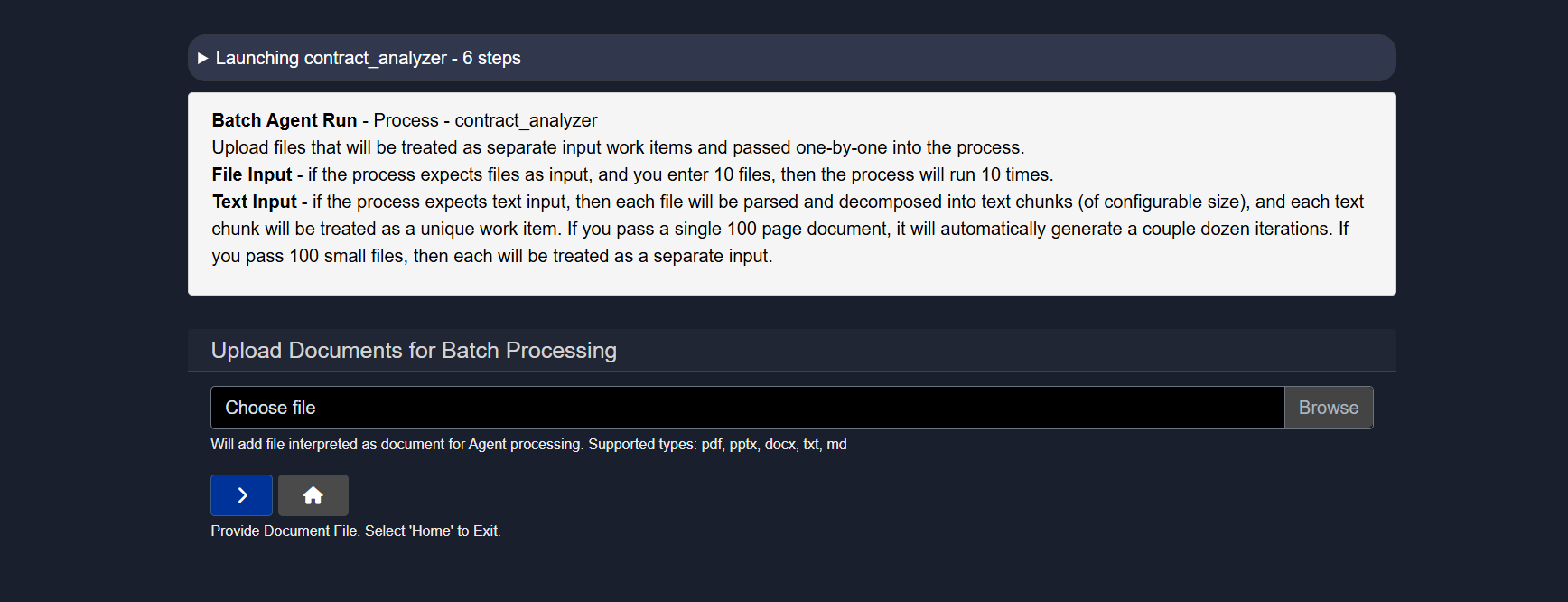
From this interface, the first 5 agreements from the sample files provided in the Model HQ package can be selected. These files are located at:
c:\users\{user_name}\llmware_data\sample_files\agreements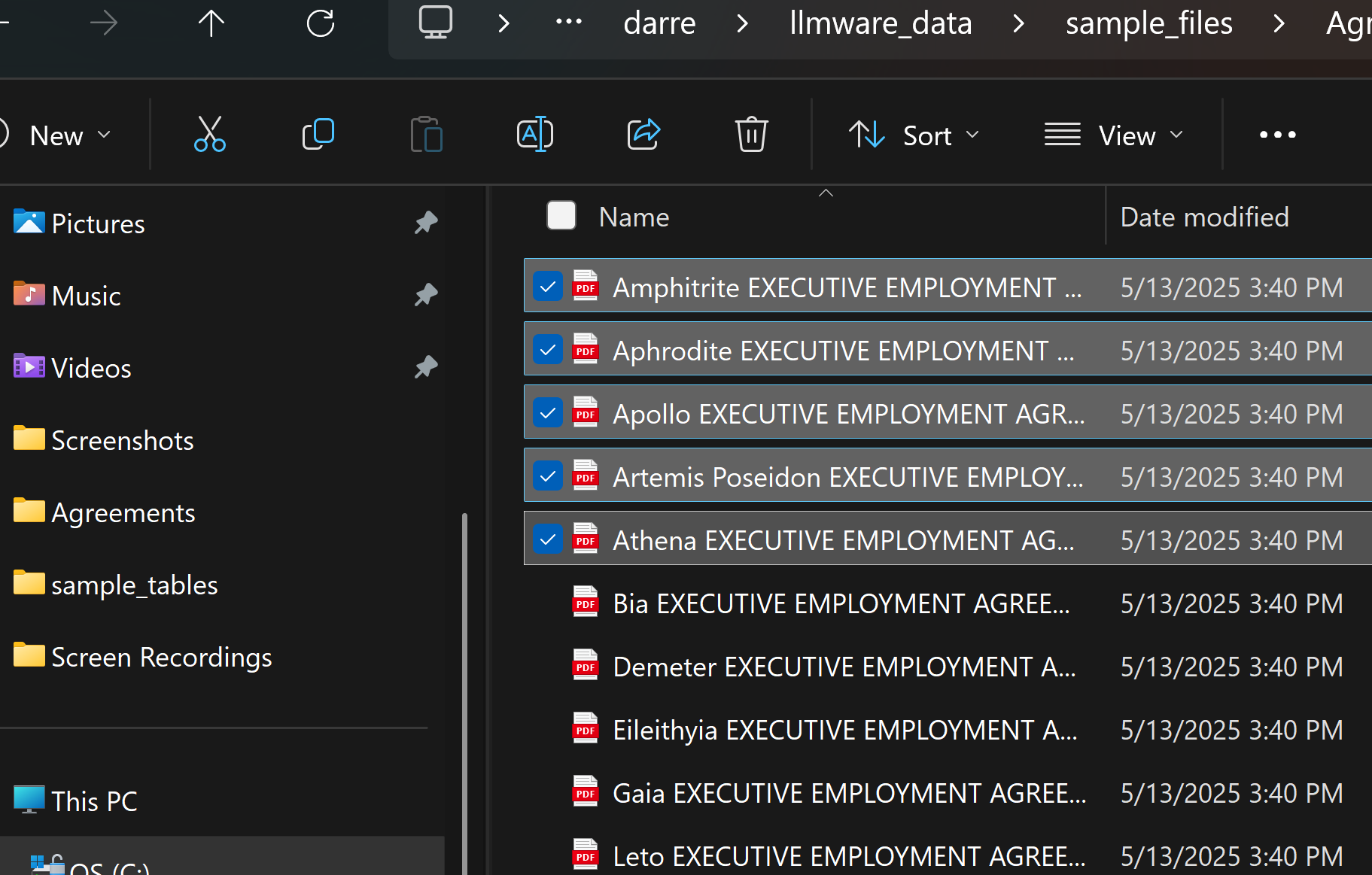
After selecting the files, the '>' button can be clicked to initiate the batch run.
Within a few minutes, each of the 5 contracts will be processed during this Batch Run. Examples of the results are shown below:
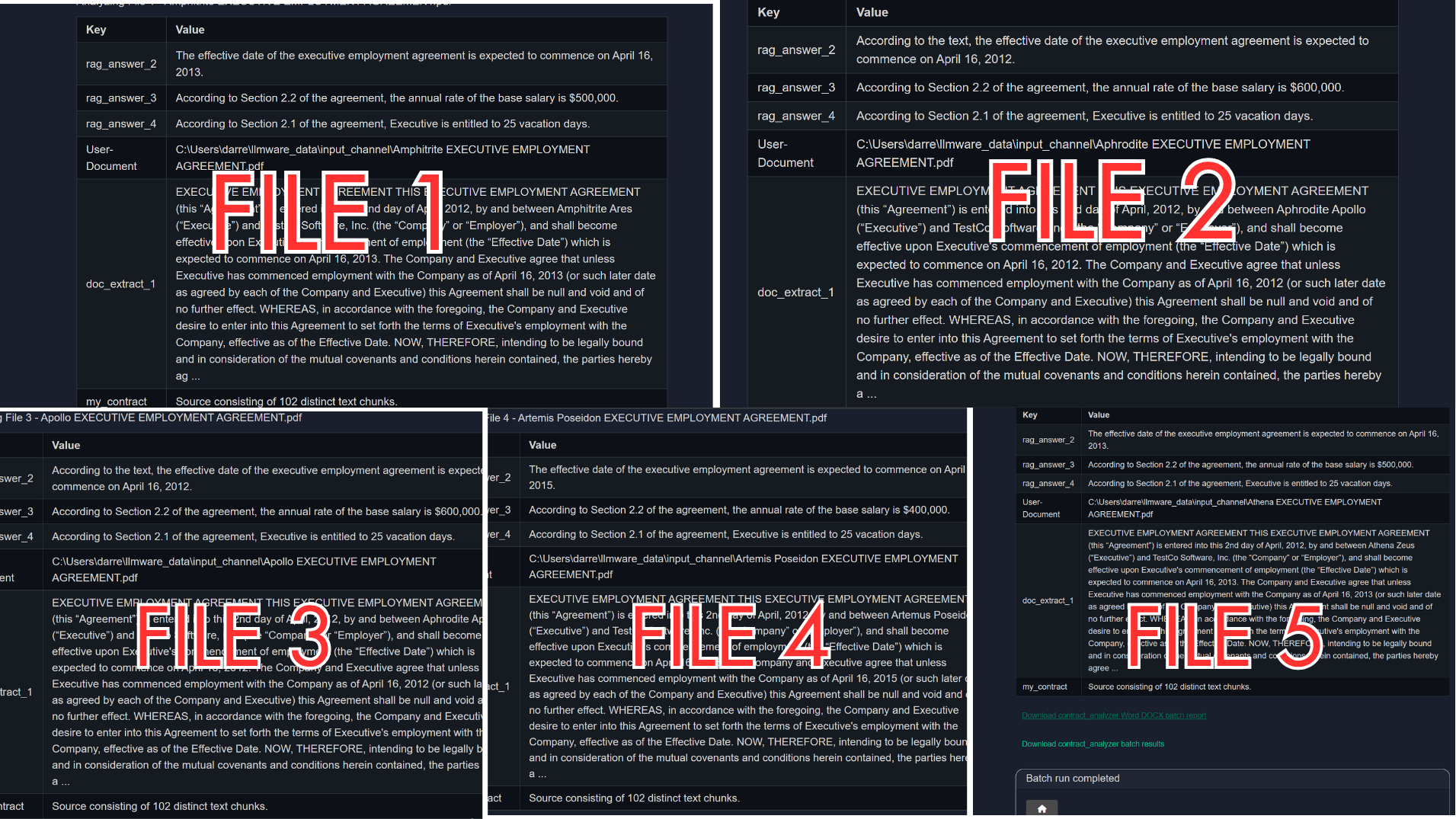
Once the Batch Run is completed, results will be accessible via a Word document or a JSON file, depending on the use case requirements.
Conclusion
Batch Run functionality can be applied to almost any agent workflow where consistent processing needs to be applied across multiple files. This capability is particularly valuable for enterprise scenarios involving contract analysis, financial document processing, research report summarization, compliance checking, or data extraction from large document collections. By automating the execution of agent workflows across document sets, Batch Run eliminates repetitive manual tasks, ensures consistent analysis methodologies, and accelerates time-to-insight for document-intensive processes. The structured output formats enable downstream integration with business intelligence tools, dashboards, APIs, and enterprise systems, making Batch Run a critical feature for scaling Model HQ agents from individual use cases to production-grade document processing pipelines.
For further assistance or to share feedback, please contact us at support@aibloks.com